
Snow that settles
Flakes pile into soft mounds on your windows and the Dock, and drift when you move them.
Snow, rain, sakura and fireflies drifting over your windows and wallpaper.
One-time purchase · macOS 14 or later · Works offline
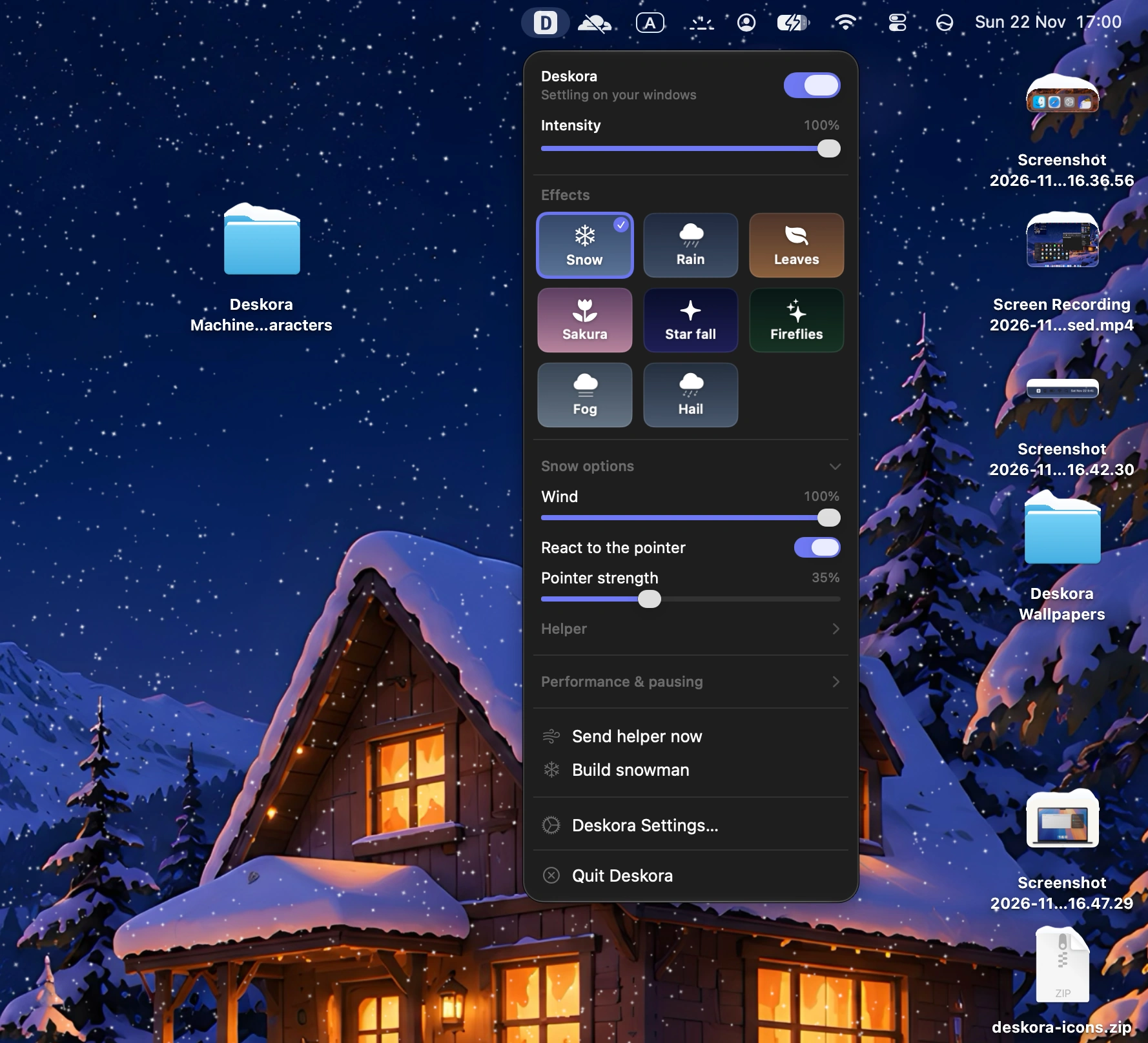
Snow and rain do not just pass over your screen. They settle on windows, pool on the ground and react to what you do.
Flakes pile into soft mounds on your windows and the Dock, and drift when you move them.

Drops ripple into puddles. Turn up the storm for lightning.

Sakura blossoms and autumn leaves, carried by a gentle wind.

Warm fireflies, falling stars and fairy lights strung along your windows.
Snow and leaves pile up along your windows. Send a helper out and it clears them, like this shovel-wielding snowman.
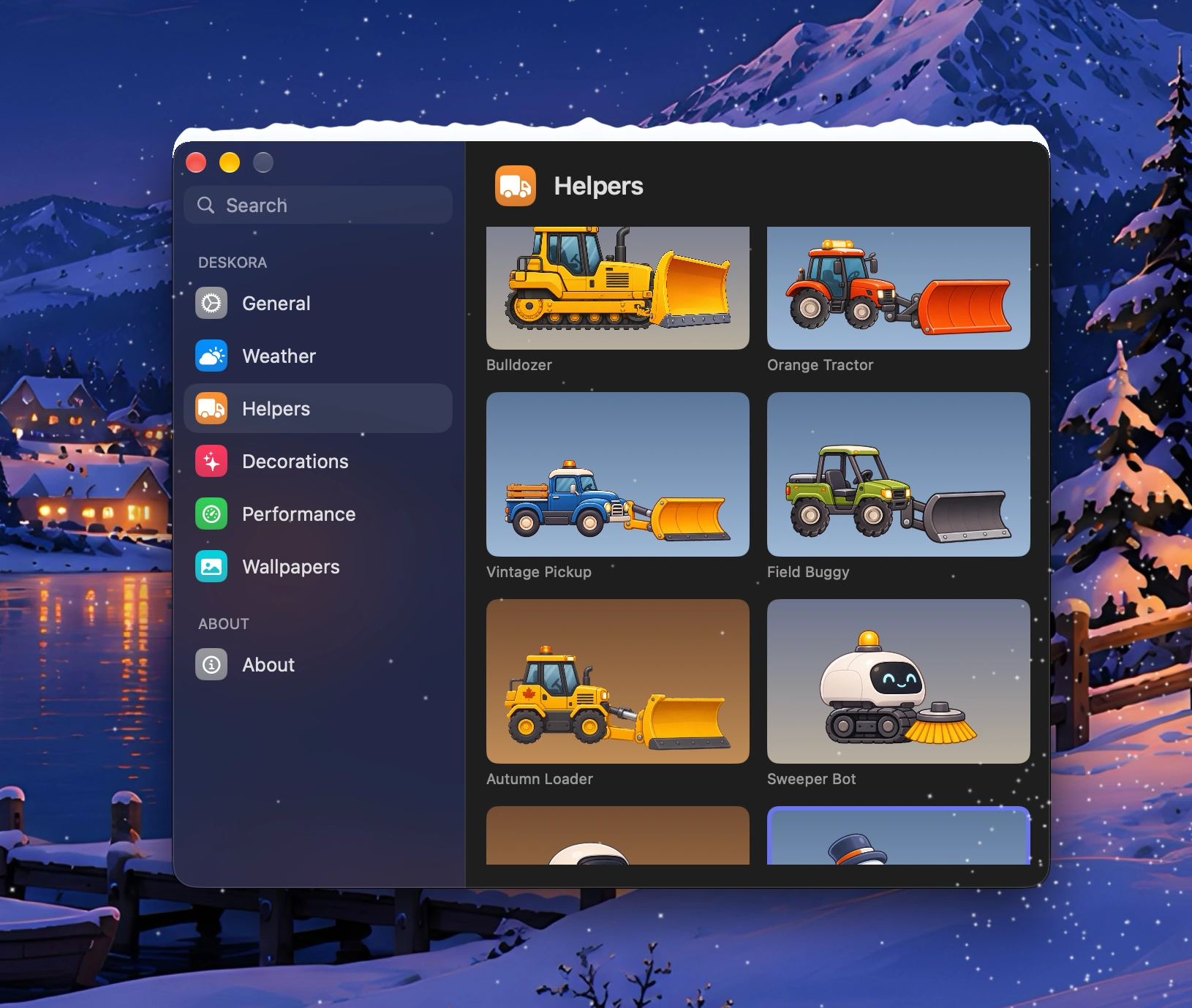
Plows for snow, blowers and loaders for leaves, and a few that handle both.

The classic. Pushes snow and leaves into tidy heaps along the bottom of your windows.

A friendly little robot that sweeps up whatever has settled, snow or leaves.

A farm tractor with a wide plow for deep snow.

A blue truck with a yellow plow, out on its morning round.

A nimble green buggy that zips across your desktop with a dark plow.

A compact loader that scoops fallen leaves out of the way.

A robot with a leaf blower, puffing leaves off your windows.

A hedgehog that trundles along, carrying leaves out of the way.
Ambient wallpapers ship with Deskora, each made to sit under falling snow, rain, petals or fireflies.








 FinderFileEditViewWindowHelp

 Sat Nov 22 9:41



Toggle anywhere ⌃⌥⌘D

Deskora sits quietly on top of your desktop and steps aside the moment you need your Mac.
No subscription, no account. One license covers up to 2 of your Macs.
macOS 14 or later
Buy for $17.99Secure checkout. Refunds follow the policy shown at checkout.
No. The effects are click-through, so clicks, scrolling and dragging reach the apps underneath. It pauses on low power, when idle and in full-screen apps.
Neither. Deskora runs entirely on your Mac, with no account and no telemetry.
macOS 14 or later, on Apple silicon and Intel Macs that support it.
One license works on up to 2 Macs. You can free a slot any time by removing a device.
No. It is a one-time purchase of $17.99.
Yes. By default Calm mode follows the macOS setting and slows everything down.
Refunds follow the policy shown at checkout.


